Bulk scans and automatic matching
Scan the whole pile once. InteGrade sorts it to your roster, without spending your AI allowance.
The fastest way to handle a paper exam: collect the stack, run it through a scanner, upload one PDF, and let InteGrade split it into per-student submissions matched to your roster.
On the free plan this is also where the biggest saving lives. InteGrade can read your students' names in your own browser instead of sending pages to InteGrade's AI, which costs you nothing from your AI allowance and means the pages never leave your machine at all.
Before you scan
- Make sure the assignment's name region is drawn on the template, around wherever students write their name. Reading names in your browser needs this region; it is how InteGrade knows which sliver of the page to look at.
- Scan the stack in a consistent page order (every exam complete, first page first). Standard copier scan-to-PDF settings are fine.
Choosing how names are read
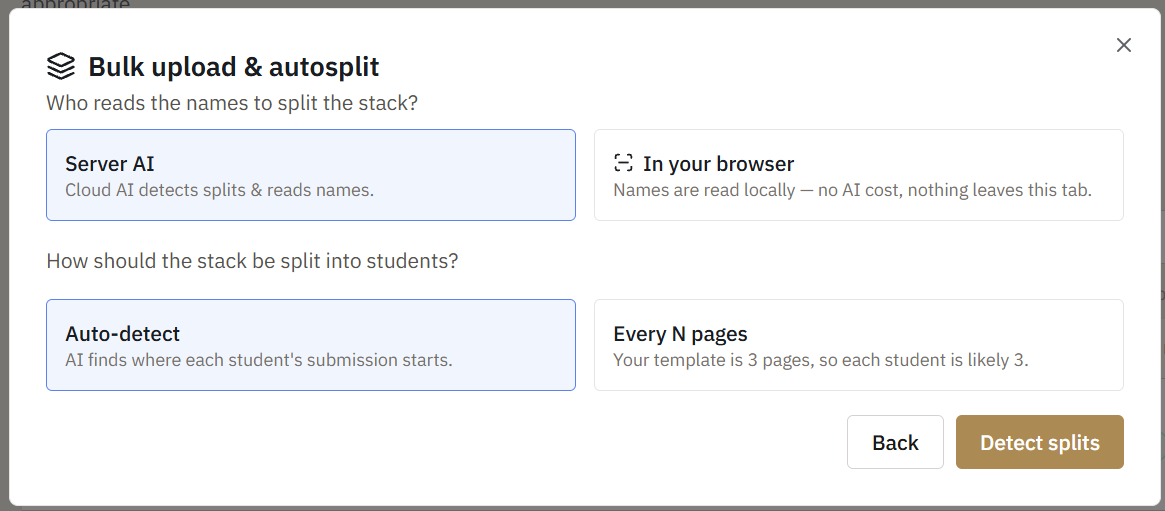
When you upload a stack, InteGrade asks how you want the names read.
In your browser. The recommended choice on the free plan. Your machine renders each page, crops out just the name region, and reads it locally. Nothing leaves the tab, and no AI allowance is spent no matter how big the class is.
With InteGrade's AI. Pages are sent to InteGrade's AI, which can also work out where one exam ends and the next begins. This is the better choice for a stack with an unpredictable structure, and it draws on your monthly AI allowance.
What happens on upload
- InteGrade splits the stack into submissions using the template's page count.
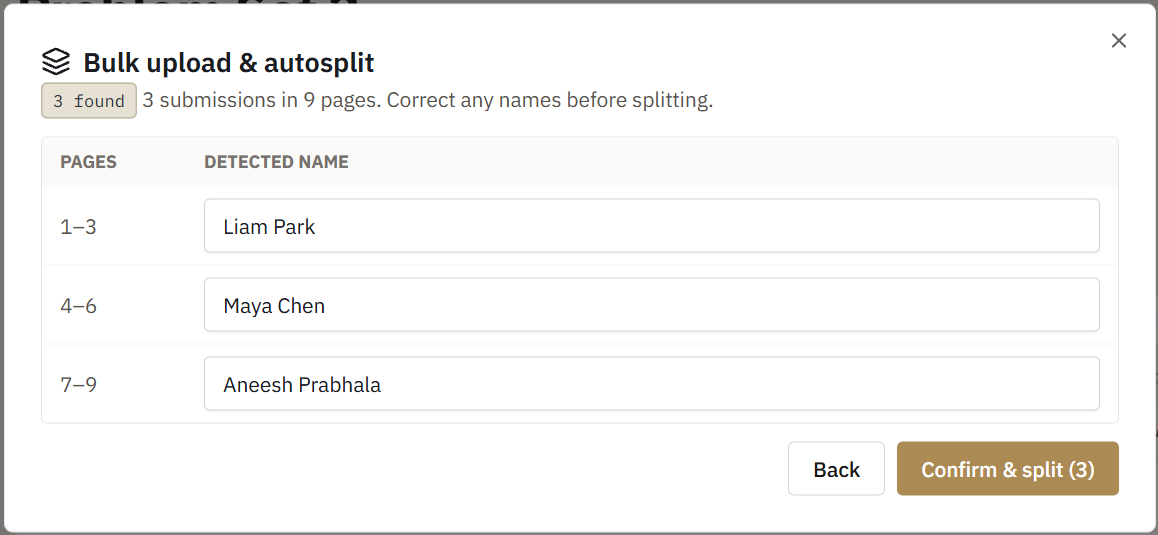
- For each submission, it reads the handwriting inside the name region.
- The read name is compared against your roster, tolerantly. "J. Pak" matches Jordan Pak; misspellings, initials, and rough handwriting are all handled.
- Confident matches link automatically. Anything uncertain is queued for your review rather than guessed.
If the reader cannot start
Reading names in your browser downloads a small reading tool the first time you use it. On a locked-down network or a very old browser it may not load. If that happens InteGrade tells you plainly, splits the stack one page per student anyway, and lets you tag the names yourself. Nothing is lost; it is just manual.
Accuracy expectations
Most pages match automatically on a typical scan. InteGrade is deliberately conservative: when handwriting is genuinely ambiguous, it asks you instead of silently mislinking work to the wrong student. Confirming the leftover handful takes a few seconds each.