Questions and subquestions
The outline is the skeleton of your assignment.
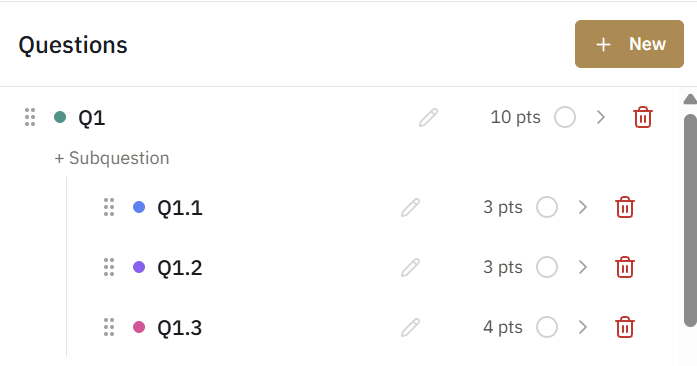
The outline editor is where you define the structure of an assignment: each question, its subparts, and its points. Everything downstream, from grading navigation to the Canvas gradebook column, follows this structure.
Adding questions
Add a question for each problem on the assignment. Give it the same label your students see on paper ("Q3", "Problem 1") so the grading view matches the page.
Subquestions
Questions can have subparts (2a, 2b, 2c). During grading you move through subparts in document order, the same order they appear on the page. Subparts can be scored two ways, with points pooled at the parent or owned by each part. That choice is covered in Scoring modes.
Points
Each question or subpart carries a point value. The assignment total is computed for you. A zero-point question is allowed and useful for organizational checks like "On time / Late."
Reordering
Drag questions to reorder them. The grading view and exports always follow outline order.
Editing after submissions exist
You can edit the outline after grading has started, but be deliberate: changing point values or scoring structure affects already-graded submissions. Adding rubric items is always safe.