Submissions
Reordering pages in a submission
Fix shuffled scans without rescanning.
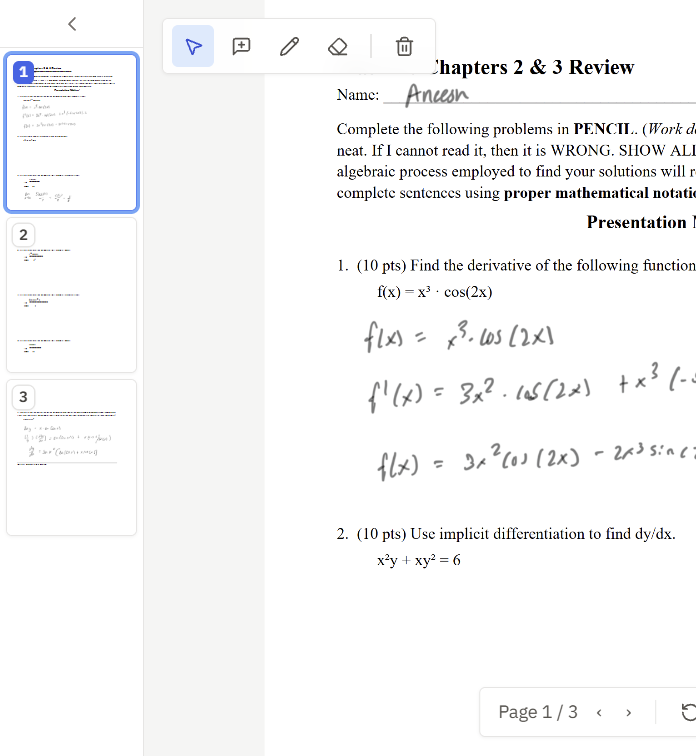
Students staple pages out of order, and double-feeds shuffle scans. InteGrade lets you reorder a submission's pages directly, something worth knowing if you are used to tools that make you rescan.
How to reorder
- In the grading view, open the page thumbnail rail (the thin strip along the side of the PDF viewer expands into thumbnails).
- Drag thumbnails into the correct order.
What follows the page, and what does not
- Comments and annotations follow the content. A note you drew on the page with the student's Q3 work stays on that page wherever it moves.
- Auto-zoom follows the new order. Jumping to a question zooms to where its work now sits.
- Rotation stays with the physical page.
Reordering changes how you view the submission; the underlying file is untouched, so there is no risk of corrupting the student's original.