The sync status indicator
Subtle, always there, and the single best signal that everything is working.
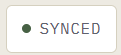
InteGrade has no save button. Every action you take, an applied rubric item, a comment, an outline edit, saves the instant you act. The sync status indicator is the small, always-visible readout that tells you where that work stands. Glance at it occasionally and you always know the system is healthy.
How saving actually works
Your work is saved twice, in this order:
- Instantly, on your device. The moment you click a rubric item, it is recorded locally in your browser. This is why grading feels immediate and why a flaky connection never costs you a click.
- Moments later, to the server. Changes sync in the background, batched and continuous, while you keep working.
The indicator reports on step 2. Step 1 always happens, immediately, no matter what the indicator says.
Reading the states
| State | Meaning | What to do |
|---|---|---|
| Synced | Everything saved on your device and on the server | Nothing. This is the healthy resting state. |
| Syncing | Changes saved locally, currently uploading | Nothing. It resolves on its own within moments. |
| Offline / not syncing | Changes saved locally, server unreachable | Keep grading. Work queues on your device and syncs automatically when the connection returns. |
Grading through an outage
Because saving is local-first, a dropped connection mid-session is a non-event. You can grade an entire stack offline; every action queues in order on your device and replays to the server once you are back online. Do not close the browser tab while the indicator still shows unsynced changes after reconnecting; give it a moment to flush.
The habit worth building
Before you close your laptop at the end of a session, glance at the indicator. If it shows everything is synced, your session is fully on the server and you can pick up on any device. That one glance is the whole discipline; the system handles the rest.
If it seems stuck
An indicator stuck on syncing for more than a minute on a working connection usually clears with a page refresh; your local changes survive the refresh and re-sync. If it persists, email support@integrade.app rather than re-doing work. Your grading is on your device; do not clear your browser data while changes are unsynced.