Writing rubric items
Reusable deductions and credits, applied with one click.
A rubric item is a named deduction or credit attached to a question: "Sign error in derivative, -2" or "Correct setup, +3." While grading, you apply items with a click or a keystroke, and the score computes itself. The payoff is consistency: every student with the same mistake gets the same deduction and the same explanation.
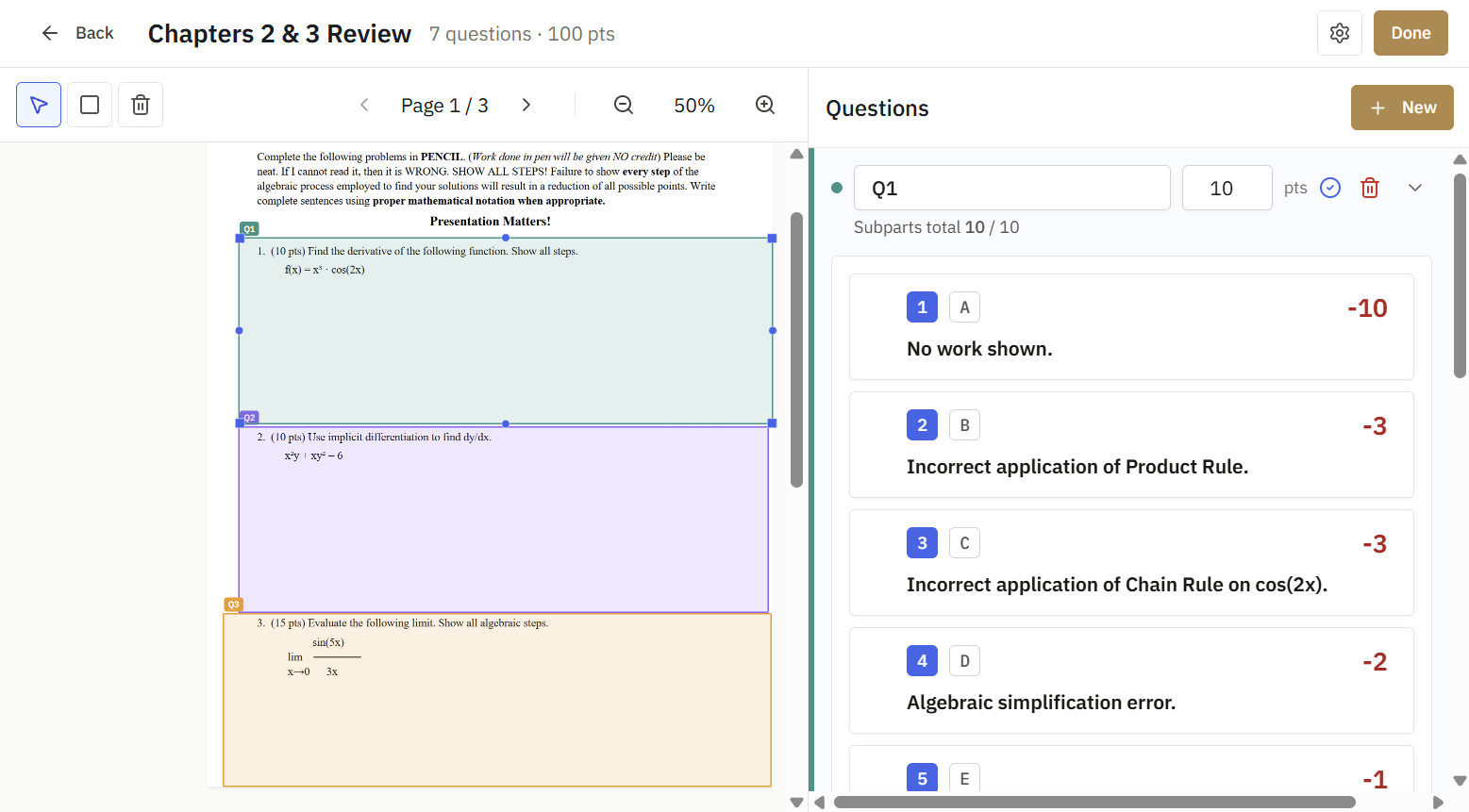
Adding items
Open a question in the outline editor and add items beneath it. Each item has a description and a point value. Use negative points for deductions and positive points for credits, depending on how you score (see Scoring modes for how points pool across subparts).
You can also add items on the fly while grading. When you hit a mistake you have not seen before, create the item right there and it becomes available for every other submission.
Writing good items
- Name the error, not the student. "Chain rule not applied" travels across submissions; "forgot the inside function on #4" does not.
- One concept per item. Two small items beat one vague one, and your end-of-assignment statistics become meaningful: you can see exactly how many students missed the chain rule.
- Write it like feedback. Students see applied items, so a clear description doubles as the explanation.
Math and images
Item descriptions render LaTeX, so deductions can show the actual expression in question. You can also paste images straight into an item, useful for showing the expected graph or setup. See Math and LaTeX and Images in rubric items.
Editing items mid-grading
Changing an item's points updates every submission it is applied to. That is a feature: decide halfway through that an error deserves -3 instead of -2, change it once, and every affected score recomputes.