Uploading submissions
PDFs, scans, photos. Drop in whatever your students hand you.
InteGrade ingests whatever your students actually hand in and normalizes it into one consistent place to grade.
Supported formats
When you upload work on behalf of your students:
| Format | Notes |
|---|---|
| Individual files, or one big scanned stack of the whole class. | |
| Photos (JPG, PNG) | Pages photographed on a phone. Converted to a PDF page as they upload. |
Both are converted into the same grading experience, so a phone photo and a clean PDF grade identically.
Students submitting their own work can also add Word documents (DOCX). See Student self submission.
The upload is capped at 25 MB per file.
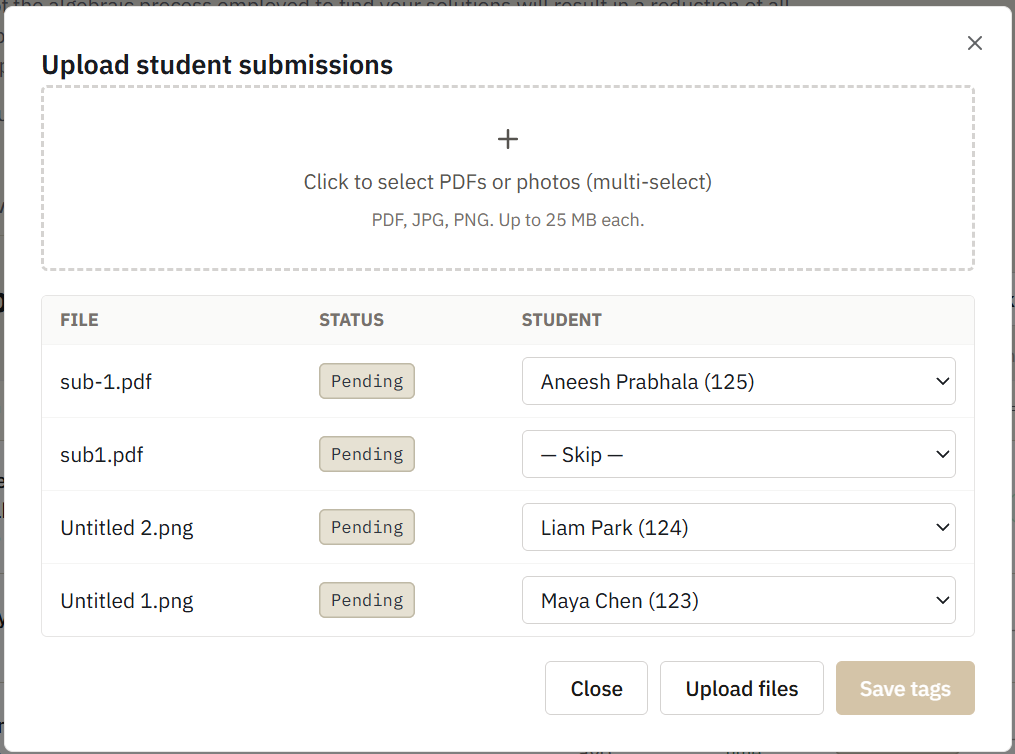
Two ways to upload
One file per student. Upload individual files and match each to a student. If the student's name is visible on the work, matching happens automatically.
One photo is one page. Each file you upload becomes its own submission, so a stack of phone photos becomes a stack of one page submissions rather than one multi page one. If several photos belong to the same student, combine them into a single PDF before uploading, or have the student submit the pages themselves. See Student self submission.
One scanned stack for the class. Run the whole pile through a copier's scan-to-PDF, upload the single file, and InteGrade splits it into per-student submissions using the template's page count and the name written on each submission. This is the fastest path for paper exams. See Bulk scans and automatic matching.
Cleanup happens automatically
Sideways pages and faint pencil can be corrected from the grading view. See Visual processing.
Replacing a submission
Upload a new file for the same student to replace their submission.